
The TechPulse Blog by Via Wire
Stay informed with the latest in telecoms, cloud solutions, and business technology.

Telegram founder allowed to leave France following arrest
Have you been following the news about the Telegram founder’s recent troubles in France? It’s quite a hot topic right now. Here are a few key points to consider:

Avoid These Costly IT Mistakes – And Future-Proof Your Business
Avoid These Costly IT Mistakes – And Future-Proof Your Business Introduction In today's fast-paced digital landscape, technology serves as the backbone for nearly every...

Why Business Phone Costs Keep Rising And What You Can Do About It
Communication costs are quietly creeping up year after year, and small business owners are feeling the squeeze. The problem is, you can’t simply cut down on phone...

Future-Proof Your Business: Key IT Trends to Watch in 2025
As we approach the new year, the technology landscape is evolving faster than ever. To stay competitive and secure, businesses need to keep a close eye on emerging IT...
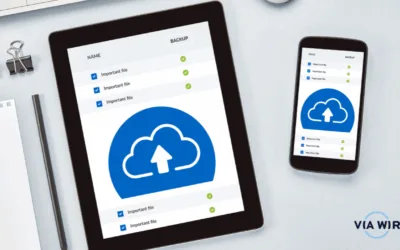
Why Cloud Storage & Backup Solutions Will Be Essential for Your Business in 2025
As we approach the new year, businesses are gearing up for the opportunities and challenges of 2025. With increasing reliance on digital systems and data-driven...

How to Edit Outlook Groups
Remove a member from a group Only group owners have the permissions to remove members. 1. Under "Groups" in the left folder pane, select the group you wish to adjust....
Recover Deleted Items in Outlook
If you have ever accidentally deleted an item from your outlook mailbox, don't worry! They're often recoverable 🙂 Follow the steps below to get the best chance of...

Report Spam in Outlook
Have you ever received an email which doesn't look genuine? (THE EMAIL USED IS NOT SPAM, IT IS AN EXAMPLE) Please follow the instructions below: 1. Open the email you...

Adding an Account to Outlook
Add an email account 1. Open outlook and select "File" > "Add Account" (If you haven't launched Outlook before, you'll see a welcome screen) 2. Enter your email...

File Name Too Long
Have you ever received the below error? Follow these tips below to prevent this challenge from occurring.. Files should be named consistently File names should be short...

Working with AutoSave
AutoSave is a feature available in Word, Excel, and PowerPoint for Microsoft 365 users. When enabled, it saves your files, automatically, every few seconds whilst you...

Changing Microsoft Password
Here's how you do it... 1. Visit office.com in your default browser 2. Click "Sign in" 3. Log in using your Microsoft credentials when prompted 4. You will be asked...
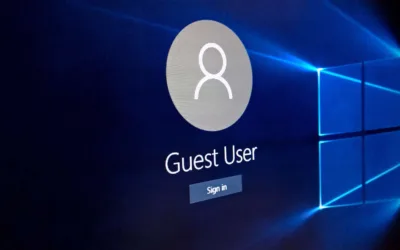
The Importance of Individual User Accounts
What is a user account? A user account allows you to sign into Windows. You can either be granted standard permission or administrator access. Administrator...

How to Spot Phishing Emails
Phishing is one of the most common types of cyber crime, and due to the increasing complexity of phishing scams, knowing how to spot a phishing email is becoming more...

Archiving Outlook Emails
1. Open outlook on your desktop 2. Select "File" which is located in the top left-hand corner 3. The following screen will be displayed. Select "Account Settings"...

No Internet Connection? How to Troubleshoot Internet Challenges
We all know how frustrating it can be when your internet isn't working... and your work load is piling up by the minute🤯 Firstly, we highly recommend you restart your...

Protecting What Matters Most: Data Backups as a Business Essential
In today’s fast-paced digital landscape, data is at the heart of every operation. Whether it's customer information, transaction history, or proprietary insights, your...
Stay Secure: Essential Cybersecurity Tips for Today’s Workplace
In our increasingly digital world, cybersecurity has become more than just a concern for IT departments—it’s a shared responsibility across every level of an...