
Our Blog
Tech Pulse

What Is Conditional Access and Why Does Your Business Need It?
Passwords alone have never been a reliable security measure, and in 2026 they're even less so. Credential theft, phishing attacks, and automated login attempts mean that a username and password (even a strong one) can be compromised without the account owner ever...

Tech Life: Archiving achievement
I read the article, and it’s disappointing to see how the US government’s actions inadvertently erased the historical achievements of women in the military. It’s crucial for us to acknowledge and learn from these oversights to ensure all contributions are recognised and celebrated. Here’s how you can ensure inclusivity in your own projects:

The slow but steady advance of driverless vehicles
Have you noticed the gradual advancement of driverless vehicles? It seems like robo-taxi services and driverless trucks are slowly making their way into the transportation sector, although progress can be slow. While the adoption of autonomous vehicles is on the rise, it’s important to acknowledge that the journey towards full integration is indeed painstaking.
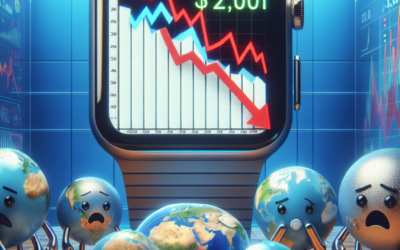
Global smartwatch sales fall for first time
Have you noticed a dip in global smartwatch sales recently? It seems that the downturn in the market has been attributed to the waning popularity of the top-selling Apple Watch. Here are some key takeaways from the situation:

Tech Life: Archiving achievement
This article sheds light on a critical issue that deserves attention. When considering the impact of the US government’s actions on diversity, we must acknowledge the far-reaching consequences. Here are some key takeaways:

Keep kids off Roblox if you’re worried, its CEO tells parents
If you’re concerned about your kids being exposed to harmful content online, Roblox CEO suggests keeping them off the platform. Here are some key takeaways from the article:

Telegram founder allowed to leave France following arrest
Have you been following the news about the Telegram founder’s recent troubles in France? It’s quite a hot topic right now. Here are a few key points to consider: