

IT support costs money, that’s obvious. Whether you have an internal IT team or rely on an outsourced provider, someone has to cover the time, expertise, and infrastructure needed to keep your business running smoothly.
For small and medium-sized businesses, outsourcing IT support is often the most cost-effective option. You don’t need a full-time technician on staff, but you do need regular, professional support to:
-
Set up new computers, laptops, or mobile devices
-
Integrate new equipment into your existing network
-
Troubleshoot technology issues when “the computer says no”
-
Advise on network upgrades and IT planning as your business grows
Typically, this comes in the form of a monthly contract covering an agreed number of support hours.
When DIY Moves Backfire
Problems often arise when these agreed hours run out, or cash flow makes you tempted to “do it yourself.” For example:
-
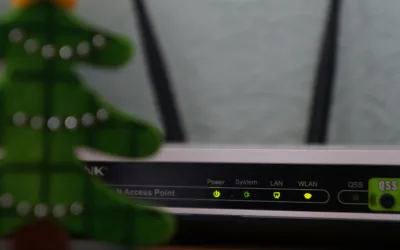
Moving equipment around the office seems simple, but network cabling is often configured for a specific setup. Plugging devices into new locations without updating the configuration can cause network outages.
-
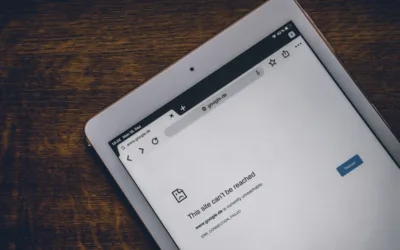
Security access restrictions can prevent computers or devices from connecting when moved to a new desk. “Unauthorized access” messages aren’t just frustrating—they stop work completely.
-
Unexpected downtime often takes IT professionals longer to fix than it would have taken them to do it properly in the first place.
It’s a lot like trying to tinker with a car engine to save on garage costs, without the right skills, you can end up with a bigger problem and a higher bill.
Modern Solutions to Avoid Downtime
-
Planned IT relocations: Schedule IT support to move devices, update network settings, and test everything works before staff sit down.
-
Network mapping and labelling: Document cables, ports, and access points to make any future moves safer and faster.
-
Cloud-based access and remote support: Modern IT systems, including Microsoft 365 and cloud storage solutions, allow remote reconfiguration and troubleshooting, reducing downtime even further.
The Bottom Line
Moving IT equipment yourself may save a few pounds in the short term, but the risk of downtime, lost productivity, and larger IT bills makes it a false economy. Proper planning and professional IT support are far cheaper in the long run—and ensure your business keeps running without interruptions.

0 Comments